
FREE authentication included

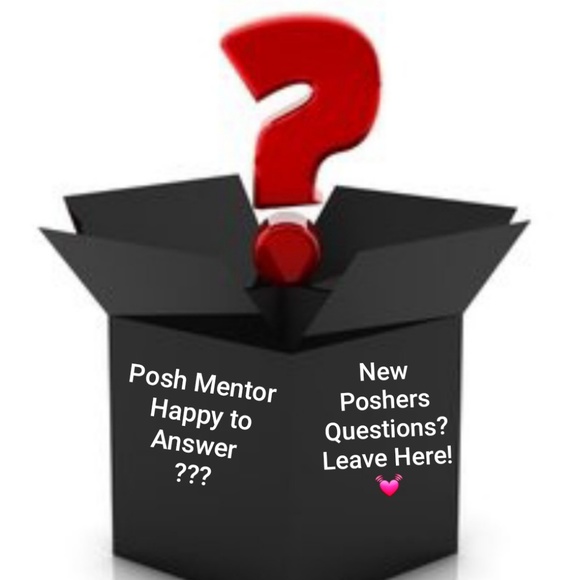
🧓New Posher Questions Box📫
$20,000 $20,000
Buy now, pay later
with  .
Learn More
.
.
Learn More
.
Size
Like and save for later
Add To Bundle
Shipping/Discount

Posh Protect: Buyer Protection Policy
Get your order as described or receive your money back. Learn More.





barneysbargains
and
6 others
like this
29 Comments

mochabarbee81
Its just a notifications telling you that someone is creating multiple items to buy from your closet. After, they choose items then they can purchase or you can give them a better price. If someone wants a better price on one item then they will send you an offer. It the person never add on I would send a nice message and ask if they are interested in that one item. If so and would like a discount they can make you an offer it's up to you to accept it.
May 05Reply

dimsports
Well Hello there, found your question box, lol 😉. So when you say Join Posh Parties, you mean the ones they have daily with Brands, Styles, Gender, etc.?
May 11Reply
mochabarbee81
@dimsports Yes, they have parties everyday. Today they actually had a male clothing party which would've been great for you to participate in to gain exposure.
Mocha💓
May 11Reply
mochabarbee81
@dimsports (FYI)There is a men's party now!
May 11Reply
dimsports
@mochabarbee81 Hey, Thanks a lot for the FYI! I'm driving right now and did get a glance and seen it. How long do they last? And I'm trying to get home to ship before 5:30, lmao!
May 11Reply
dimsports
@mochabarbee81 I so much try to keep up! Then after a party, you have to reorganize your closet so everything matches, lol!
May 11Reply
mochabarbee81
@dimsports That's the only thing I don't like. I can't stand for things to be out of place. When I go and share at a specific party it totally unorganized my closet. Then I start to nitpick and wonder if I should change up my closet. Hours will pass and I'm still not done. It is quite frustrating. However, to attend is a good thing, your items get more exposure. Unfortunately I can't attend all the time it's too much. I was just letting you know, if you wanted to attend.
Mocha💓
May 12Reply
dimsports
@mochabarbee81 Did you get my first message about how long they ?
May 12Reply
dimsports
Last
May 12Reply
dimsports
@mochabarbee81 And yes, hours and hours go by especially late at night for me then work in the morning. I'm very organized too. It's a lot and a bit much but I dig it and have fun but Ohhhhhh so time consuming. Yes, I do believe you and know it gets more exposure and again I do Thank You for letting me know, I really appreciate it and all of your insight, communication, experience and knowledge you infuse ;-)
May 12Reply
mochabarbee81
@dimsports That's what I'm here for feel free to message me if you have more question/s. I'm happy to help all new poshers!
Mocha💓
May 12Reply
mochabarbee81
@sharealike Hey! Okay this is how you share an item.
Select a posher (that will lead you to their closet)
Click an item that you want to share
Check the share button (it looks like two square arrows in the shape of a box). The button is located at the bottom by the comment section.
It gives you the option to like, comment or share.) You can also find the share button at the top right side of your screen.
Let me know if you have any questions honey! Mocha💓
May 13Reply

sharealike
My sincerest thanks for your help and taking the time x2 to educate me.
Sincerely, Cher@SHAREALIKE
May 13Reply
mochabarbee81
@sharealike Absolutely! Please let me know if you have any other questions. I'm happy to help!💋❤
Mocha💓
May 13Reply
mochabarbee81
@janicemontgomer I totally understand! Please don't hesitate to ask me any questions. I'm always here to help!
May 13Reply
kaiana_23
Hi! I'm new to Posh and confused at some times. So I posted items in my closet but how do I know that people have/will see them?
Jun 11Reply
mochabarbee81
@kaiana_23 You can't tell how many people actually viewed your listing. Some will share your item that's another way that you know that your listing are being seen. Make sure you keep sharing everything in you closet as many times as possible. Your listings will be seen. Hope that helps honey. 😘 Let me know if you have more questions. Don't be confused just send me a message.
Jun 11Reply
kaiana_23
@mochabarbee81 Thank you so much!
Jun 14Reply
mochabarbee81
@kaiana_23 You're so welcome!😘
Jun 14Reply

chrissmith81
Hi I just posted question to one of your other ads but then just found this one for questions. Thank you for taking the time and effort to help others much appreciated! My question was where can I find these ads with great info to post in my closet? Or do I just copy and paste from your closet? Would not want to do something not allowed.
Thanks!
Christina
Jun 30Reply
mochabarbee81
@chrissmith81 okay great!
Jun 30Reply
barneysbargains
@dimsports That’s what I use the 10 pm EST party for - reorganization of many closet!
Jul 21Reply
dimsports
@barneysbargains Right, I'm getting the hang more and more, lol!
Jul 22Reply
mochabarbee81
@dimsports Good!
Jul 22Reply

youngblood514
I have heard of poshers creating a notification group for new listings or price drop. How do you do that? I love your closet and willingness to help new poshers!
Jul 25Reply
mochabarbee81
@youngblood514 Hey, how are you!!! Are you wanting to create a question listing or status to you buyer update. 💞
Jul 25Reply
youngblood514
@mochabarbee81 I guess just a status listing so they’ll know when new items are added
Jul 25Reply
mochabarbee81
There isn't a listing that you can post that automatically continue to send updates telling your followers that you have a new item. Once you list an item it's displayed in the newsfeed to all your followers. If you want your followers to see your listings everyday. Then you will have to share your items multiple times a day to gain exposure. Hope that helps.
Jul 25Reply
mochabarbee81
You will get an email of the upcoming parties. The email will tell you the time and date. When you login on to posh it should give you a notification to join the party. Let me know if this helps. #poshlove 😘
Aug 20Reply






Find Similar Listings
About the seller
@mochabarbee81
Last Active: May 21
Frisco, TX
250
Listings100+
Sold Listings1 day
Avg. Ship time37
Love NotesAbout the seller
@mochabarbee81
Last Active: May 21
Frisco, TX
250
Listings100+
Sold Listings1 day
Avg. Ship time37
Love Notes
Account is under Review
Comment posting is temporarily restricted. Our team will reach out to you shortly. To understand why, select
Learn More.
