
FREE authentication included

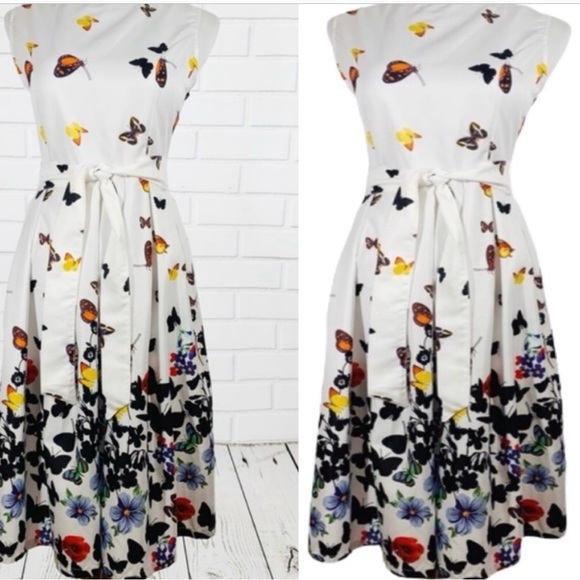
How to get your background white using the app called Bazaart! It is a great app
$500 $1,000
Pay in 4 interest-free payments of $125
with  .
Learn More
.
.
Learn More
.
Size
Like and save for later
Add To Bundle
When you open Bazaart at the bottom it will read
Templates…..+……. Projects
Click the Plus + sign
Then the two circles at top reads
Photos or Video
Click photo……. Then click the photo that you are
wanting to remove the background
Click the scissors that say ( remove
Background)
There will be a spinning white circle that says
“Just a second “
Then the background it took out will be in a
Pattern
Double tap the pattern on the photo itself and
All circles of colors will pop up if you want
White then just click the white circle and
The pattern will turn white
Then at the top left there is an X on the right is
A green check mark…. You want to click
The green check
Then at the extreme right there will be a red
Box with an arrow pointing up.. click
That box
It will bring up a lot of icon but you want to
Click the first one that has a red box and
An arrow pointing down… when you click this the photo you just worked on will appear in your photos
Easy peasy!!!
If you have any questions just send me a message and I’ll see if I can help.
Shipping/Discount

Posh Protect: Buyer Protection Policy
Get your order as described or receive your money back. Learn More.
1 Comment

kathyfeczko73
Thank you for sharing this ❤️
Feb 28Reply








Find Similar Listings
About the seller

@funkypineapple
Last Active: Dec 17
769
Listings500+
Sold Listings3 days
Avg. Ship time100+
Love NotesAbout the seller
@funkypineapple
Last Active: Dec 17
769
Listings500+
Sold Listings3 days
Avg. Ship time100+
Love Notes
Account is under Review
Comment posting is temporarily restricted. Our team will reach out to you shortly. To understand why, select
Learn More.
