

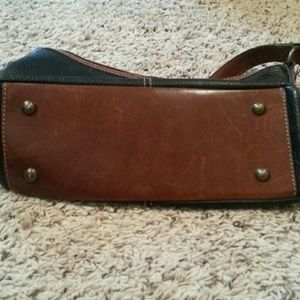
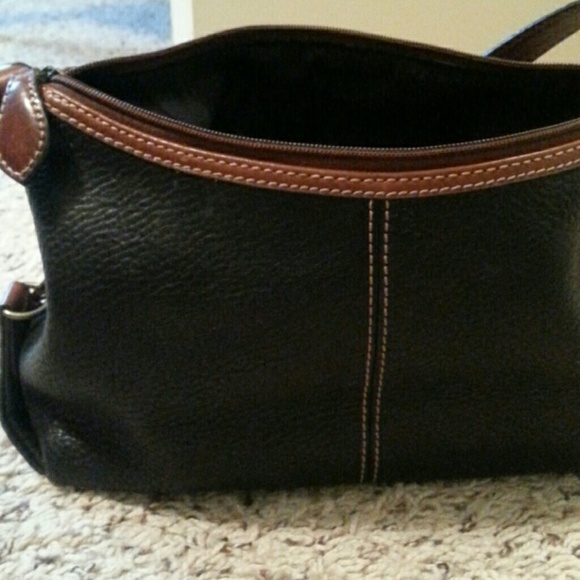

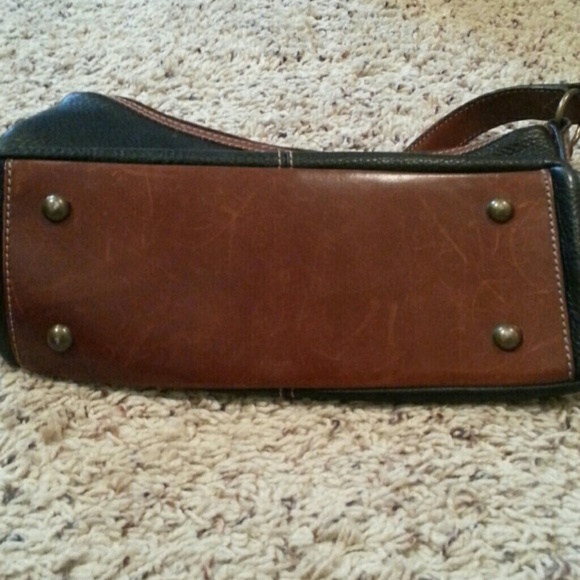
Authentic
$50
Fossil
Size

Posh Protect: Buyer Protection Policy
Get your order as described or receive your money back. Learn More.
Pay in 4 interest-free payments of $12.50
with  . Learn More.
Shipping/Discount
Like and save for later
Add To Bundle

mccindy43
likes this
15 Comments
mccindy43Beautiful bag😊👜💞😊👜💞
Aug 31Reply

vtshopperDimensions?
Aug 31Reply

claytl@vtshopper I will get that for you
Aug 31Reply
claytl@mccindy43 thanks
Sep 01Reply

mbaker1977GREAT CLOSET!! Welcome to PM! If you have any questions please feel free to ask. Check out my closet when u get a moment. I'd love to bundle some items for you! Good Luck and I hope your closet is very successful! Happy Poshing, Mbaker1977
Sep 02Reply
claytl@mbaker1977 thank you kindly. What does bundle mean? I'm don't know all the terms yet. Thank you ☺
Sep 02Reply
mbaker1977Bundle means the buyer wants to add more than 1 item to buy. You can change your bundle features so that the buyer gets a discount when they purchase 2,3,4 items. You can also decide what that discount is going to be. 5%, 10%, 15%.
Sep 02Reply
mbaker1977Go to the bottom right icon. It looks like a credit card. U should see your user name under it. Click on it. You should then see My bundle features. Click on it. There u can change ur bundle settings. Feel free to play in my closet and see how the bundle features work for the buyer. You don't have to purchase....just play 😉
Sep 02Reply
mbaker1977How to bundle!!!
The bundle feature is awesome when a buyer wants to purchase more than one item in your closet. With this feature the buyer only has to pay shipping charges once instead of for each item. The seller usually adds a discount for those buyers that bundle and purchase a few items.
Sep 02Reply
mbaker1977How to set your bundle settings:
1. There is a credit card looking icon on the bottom right of the home screen and it will have your user name under it. Click it.
2. Then scroll down until you see my bundle settings. Click it
3. Here u can choose how many items a buyer must buy to receive a discount. Usually most people pick 2 or 3. Then u can decide what discount they will get when they bundle either 5%, 10% or 15%. There are higher discounts if you desire one of those.
Sep 02Reply
mbaker1977Once you have pick out how many items and the percentage of discount....you are ready to start selling.
How to bundle of you are the buyer:
Click on the item you like. There should be a square looking icon on the top right. Click it. It will give you the option to "add to bundle". Click it. Then you repeat the same process for each item that you want.
I hope this helps you to understand it a little better. If you have anymore questions don't hesitate to ask!
Happy Poshing, Mbaker1977
Sep 02Reply
claytl@mbaker1977 thanks for the info 😊
Sep 02Reply
mbaker1977You are so welcome. Let me know if u have anymore questions 😀
Sep 02Reply

sallyejoDo you still have
Jan 26Reply
claytl@sallyejo yes
Jan 26Reply




Find Similar Listings
@claytl
10
Listings--
Sold Listings--
Avg. Ship time--
Love Notes@claytl
10
Listings--
Sold Listings--
Avg. Ship time--
Love Notes
Account is under Review
Comment posting is temporarily restricted. Our team will reach out to you shortly. To understand why, select
Learn More.
Still Selling This?
Yes, this item is still for sale.
I don’t want to sell this item right now.
I no longer have this item.
Delete Listing?
This action cannot be undone. You will no longer see this listing in your closet and your account will not be affected.
